Some days you get ten spoons. Some days you get three.
Spoondraw asks how much you've got, then deals you a day that fits. No infinite list glaring at you. No guilt for the things that didn't happen. Just today, cut to size.
One email when Spoondraw is ready to try, and one if something big changes. Nothing else, ever. Unsubscribe in a click.
Every other spoon app is a diary. This one deals.
Energy-tracking apps almost all work backwards: you spend the day, then you log what it cost you. Useful for spotting a pattern six weeks later. No help at all at 9am on a bad Tuesday, when the actual question is what can I realistically do today?
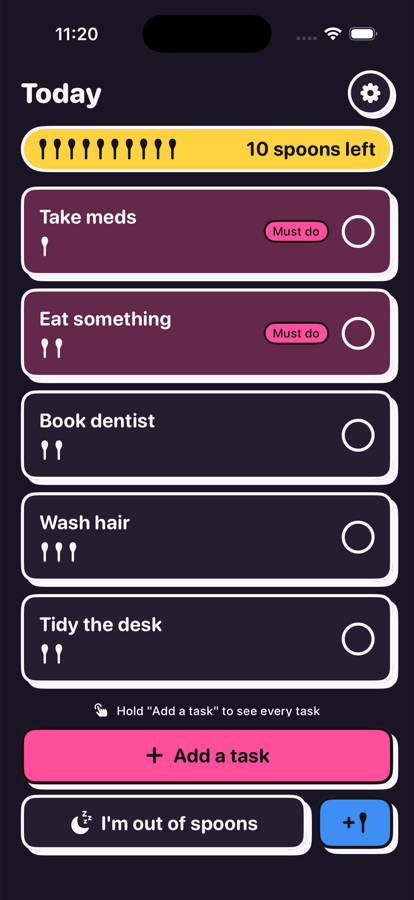
Spoondraw runs the other way round. You say what you've got, and it draws a day out of your task pool to match — must-dos first, then a fair shuffle of everything else. The list you see is a list you can finish.
Spoon theory was coined by Christine Miserandino in 2003 to describe living with lupus. It has been borrowed by a lot of people since, us included, and it is worth knowing whose idea it was.
How it works
Say how you're doing
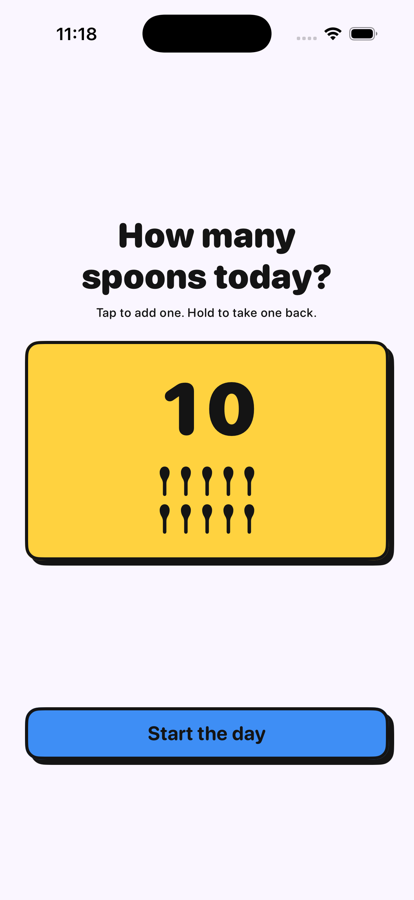
Tap out today's spoons. Ten on a good day, three on a rough one. You don't have to explain it to anybody, least of all your phone.
Get dealt a day
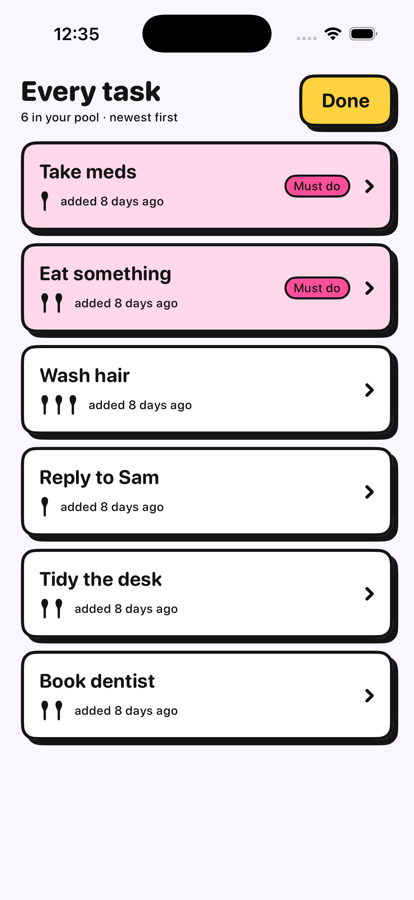
Spoondraw draws from everything on your plate and builds a list that fits the spoons you've got. The things that genuinely must happen come first. The rest takes its turn, so nothing sits at the bottom forever.
Work it, or don't
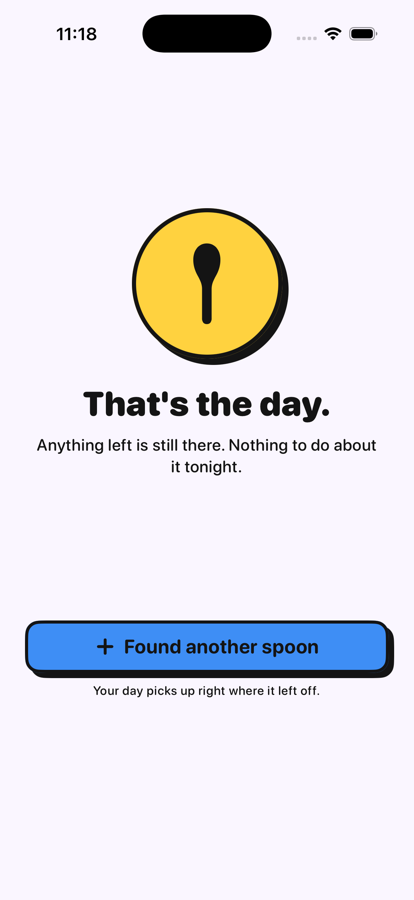
Tick things off. Swipe away anything that isn't happening and get something else. Run out partway through? Say I'm out of spoons and the day closes kindly, with the leftovers waiting for tomorrow.
A few things we were stubborn about
The list stays short
There's a hard ceiling on how big a day can get, even if you're feeling invincible. A long visible list is the exact anxiety this app exists to avoid.
Under-booking is always allowed
Nothing nags you to add more, and nothing tells you your number is wrong. You can't choose how much you have.
What you type stays on your phone
Task names never leave your device. Not to us, not to anyone. Task names are health information and we treat them that way.
Built for VoiceOver from day one
Every gesture has a plain, non-gesture equivalent. Text scales to the largest accessibility sizes without anything getting clipped or hidden.
A look at it
Work in progress — these are real screens from the current build, before the mascot arrives.
The privacy bit, in plain words
Spoondraw has no accounts and no server of ours to sign in to. Your tasks live on your iPhone, and sync between your own devices through your own iCloud account if you want them to. We never see them.
The app does collect anonymous usage numbers — which screens get opened, how often a day gets swapped around — so we can tell what's working. It never includes anything you typed, and you can switch it off in Settings. This website has no analytics, no tracking pixels and no third-party fonts.
Want to know when it's ready?
Spoondraw is free. No subscription, no trial, and nothing held back for people who pay.